Posting Instagram Stories
Learn how to create and publish Instagram Stories directly from Friday Force. Stories disappear after 24 hours and are perfect for timely, engaging content.
1. Connect Your Instagram Account
Before posting Stories, ensure your Instagram Business or Creator account is connected to Friday Force. Navigate to Connected Accounts and authorize Instagram access via Instagram Login.
Go to Connected Accounts2. Create Your Story
Navigate to the Social Media Composer and select Instagram as your platform. Choose "Story" as the content type - you'll see a clock icon indicating Stories disappear after 24 hours.
Open Social Media Composer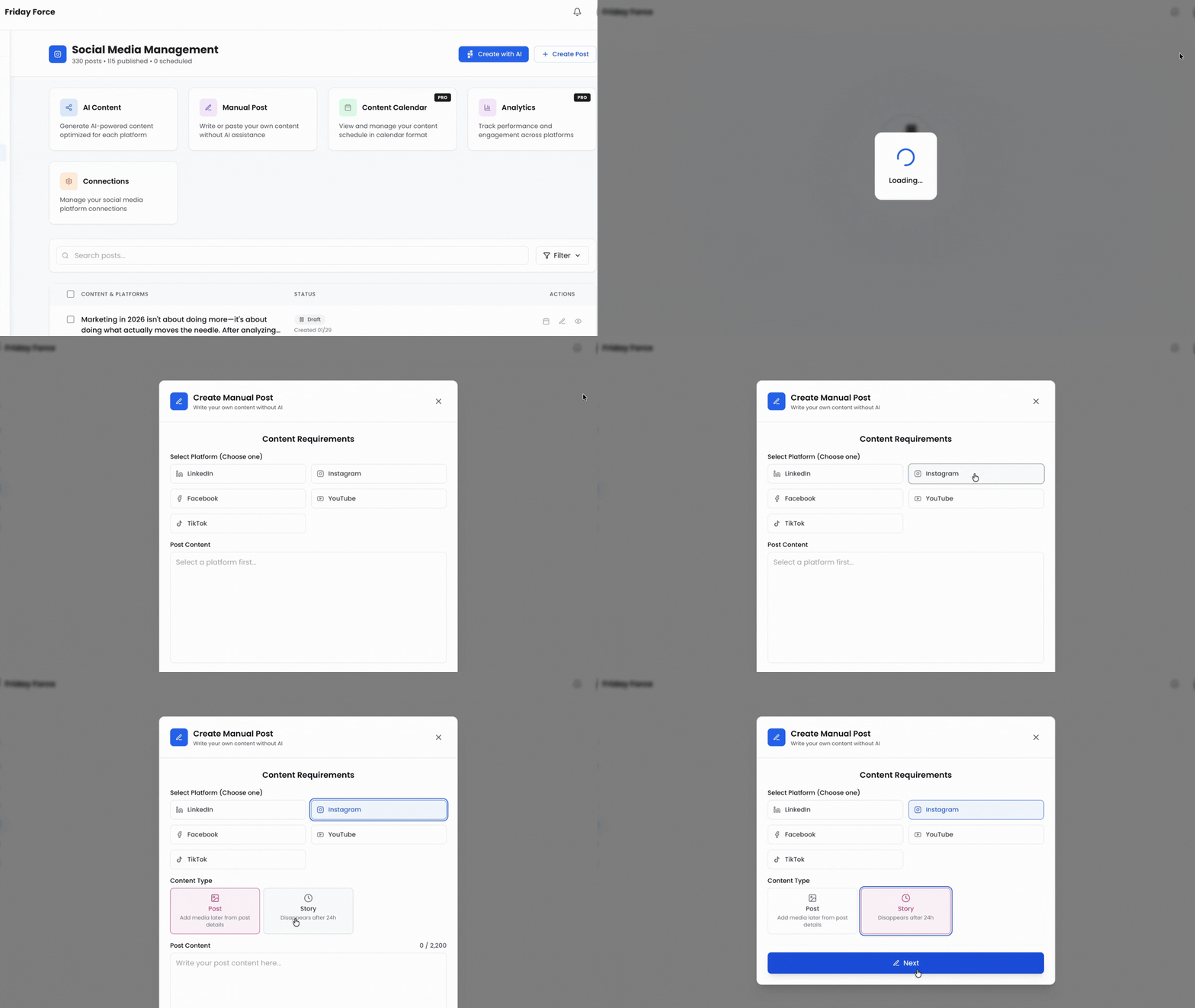
3. Add Your Media
Upload an image or video for your Story. Make sure your media is vertical format for the best viewing experience on mobile devices.
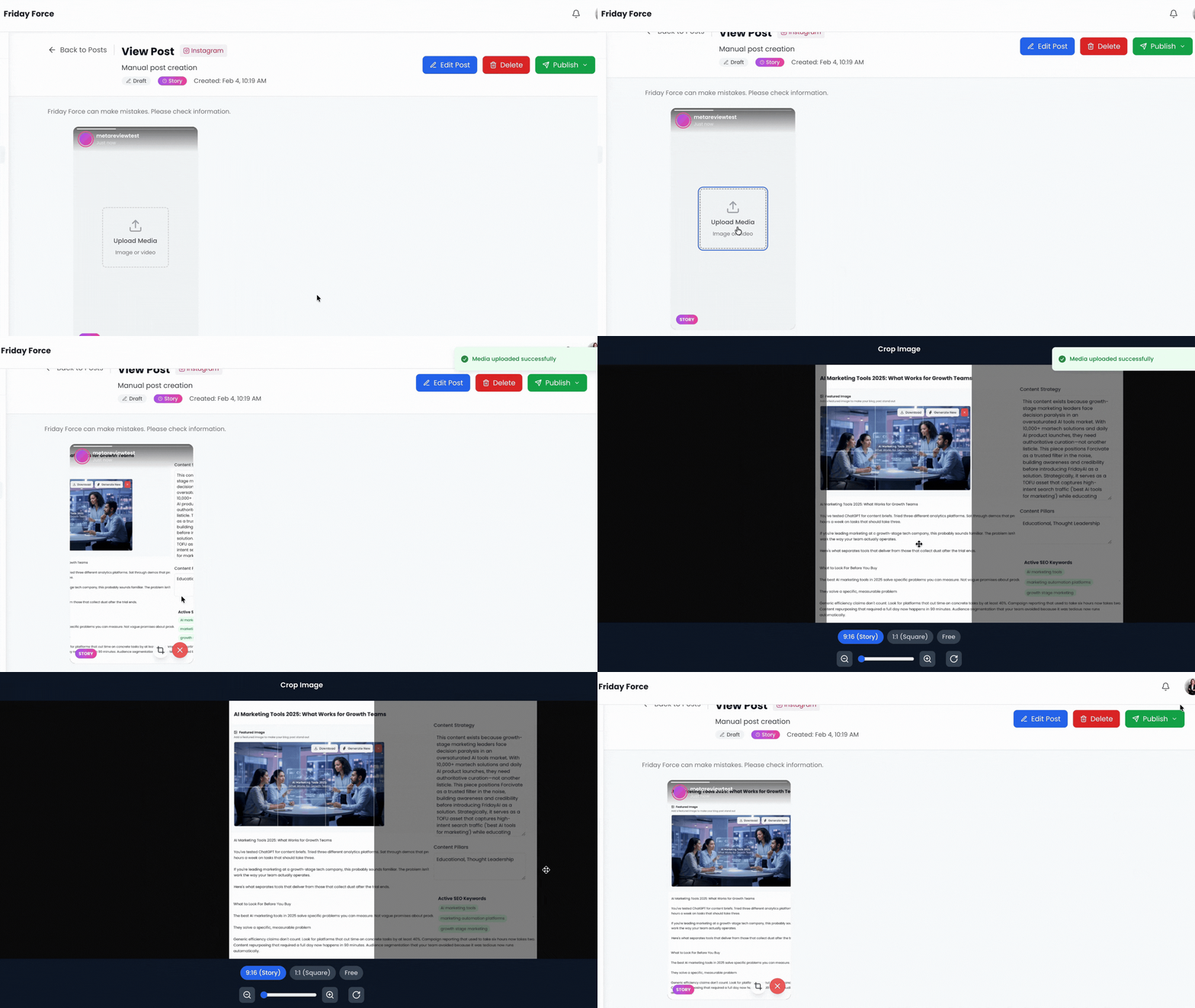
4. Publish or Schedule
Choose to publish your Story immediately or schedule it for later. When scheduling, select your preferred date, time, and timezone. Friday Force will automatically publish your Story at the scheduled time.
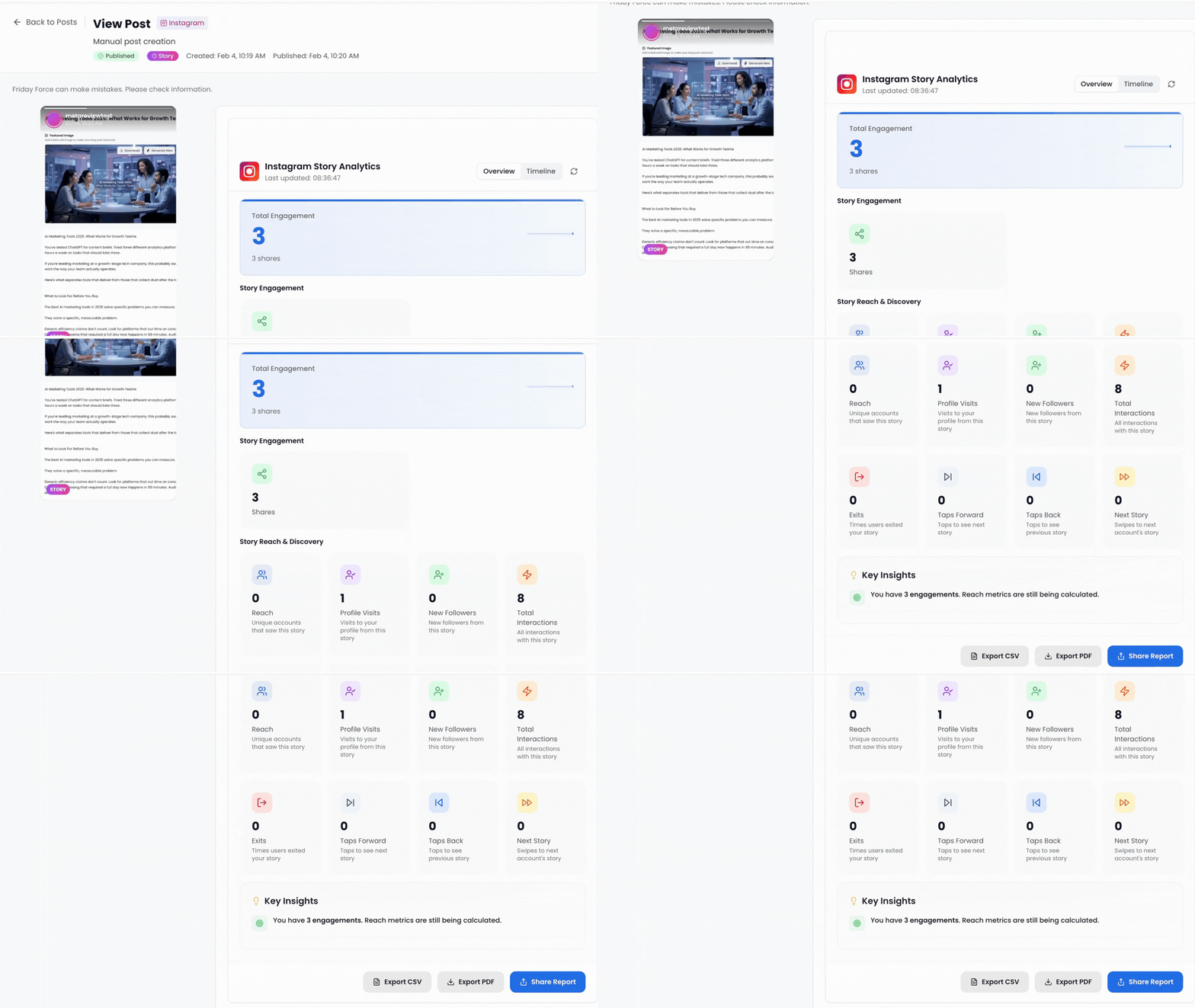
5. Track Story Performance
After your Story is live, view analytics including reach, impressions, replies, shares, exits, and tap interactions. Story analytics are only available for 24 hours while the Story is active.
Related Guides
Connecting Social Accounts
Creating Your First Post
Understanding Analytics
Need More Help?
Our support team is here to help you succeed with Friday Force